Showing posts with label editors. Show all posts

Monday, July 22, 2013

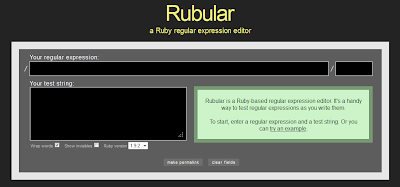
Rubular : a regex syntax development editor


regex editot


If u have developed some parser in Perl,Ruby, Shell script ans Python , then you must have came across regular expression (regex).
Regular expression is consider strength of these scripting language.

If you want to test your regular expression for the test you have to parse or to develop a regular expression that can get or match your specific condition ... rubular can be handy tool to do this job.

It has text box to input your regular expression and box to give ur sample test text.


Give a try friends.


Tuesday, July 16, 2013

Sublime text : How to fix OSError: [Errno 1] Operation not permitted (when opening file with sublime text 2)

Recently Sublime released its new version 2.0.2 and if you want to continue with sublime you , u need it to update to the latest version


you can use the command to update the  sublime text 2 using terminal:
sudo add-apt-repository ppa:webupd8team/sublime-text-2
sudo apt-get update
sudo apt-get install sublime-text


Now type the command to evoke the editor, if it throwing the below error that you can follow below tutorial 

Unable to run package setup:
Traceback (most recent call last):
  File "./PackageSetup.py", line 165, in upgrade
    upgradePackage(pkg, pristinedir, datadir, backupdir)
  File "./PackageSetup.py", line 158, in upgradePackage
    os.path.join(backupdir, base), inhibitOverwrite)
  File "./PackageSetup.py", line 113, in upgradeArchive
    shutil.copy(src, dst)
  File ".\shutil.py", line 89, in copy
  File ".\shutil.py", line 66, in copymode
OSError: [Errno 1] Operation not permitted: '/home/rubix/.config/sublime-text-2/Pristine Packages/AppleScript.sublime-package'


Sunday, June 23, 2013

vi - opening second file in split screen

Some we get in need of comparing two different files for over the section or lines.
To open the new file in the split window all u need to follow the below steps


to open  already existing file
vi file_name

now type
:new file_name

This will split the screen horizontally 

Tuesday, June 18, 2013

Split the screen in vi - horitzontally or vertically


Most of us have some time in need to compare the two files to compare same file on different line or section,

then you will find 'split' can be very handy.

 the simplest usage is to type 'split' command that will split the screen horizontally.
:split

Sunday, May 12, 2013

Vi editor help sheet for beginner for basic operation

If you are new linux user or planning to migrate to linux then it is required for you to know the basic of Vi. text editor .(For programming, I think sublime is better.)
Vi editor , is one of the most common editor used in linux, to do file operation, apart from pico and nano or various command like less and more.
Some of the command to can make your task easy and fun to do and you can also pipe it with other linux command to to basic file operation.
Here is under below beautiful cheat sheet, for beginner by gosquared for new Vi user. Check out the link : gosquared


Friday, May 10, 2013

sublime-text ! a fantastic programming editor for Window/Linux/Mac

sublime-text logoProgramming editors are one of the most personal thing for a coder. This choice may vary as per the language he/she be taking up for the current project. Switching of editor may be also due in availability of the same in the other OS environment.                                               I started my coding in window environment in C and in few days become the fan of Notepad++.Later on as a Bioinformatics, I had to change the Operating system environment for my project and had  to program in Linux (Ubuntu).
As the  notepad++ was not supported  (still not supported) , I started looking for a nearest option . I started with gedit (the default text editor in linux), then I switched to Kate,  to Vi and then to geany. Geany was easy and some of the feature made me very comfortable  eg displaying of all function on side bar.